New: a free HLS & DASH Stream Tester that tells you why a stream fails
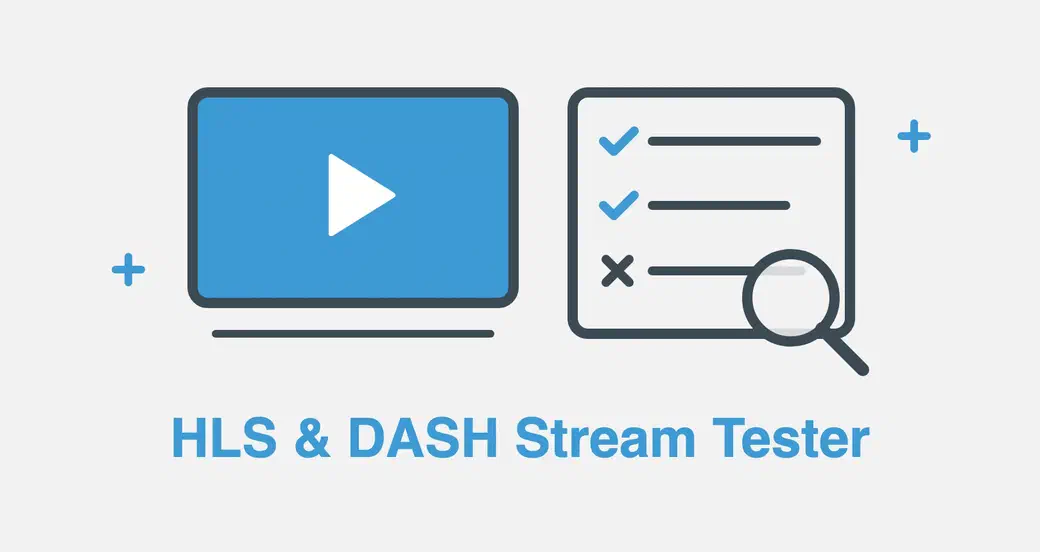
Today we’re releasing a new free tool: the HLS & DASH Stream Tester. Paste the address of an HLS (.m3u8) or DASH (.mpd) stream, and it plays it, shows you what’s inside, and when the stream doesn’t play, tells you which file failed and what to change.
It’s free, needs no account and runs in your browser.
Why we built it
A stream that plays fine in VLC can fail on a web page, and the browser rarely says why. The video stays black, and the developer console shows a line about CORS, a manifestLoadError or a media error. A stream is made of many files, from playlists to segments and keys, often spread over several servers, so finding the one that’s refused takes time.
Most online testers only tell you whether a stream plays or not. So we built the tool we wanted: one that tests the stream the way a web player sees it, and explains the result in plain words.
Play the stream and see what’s inside
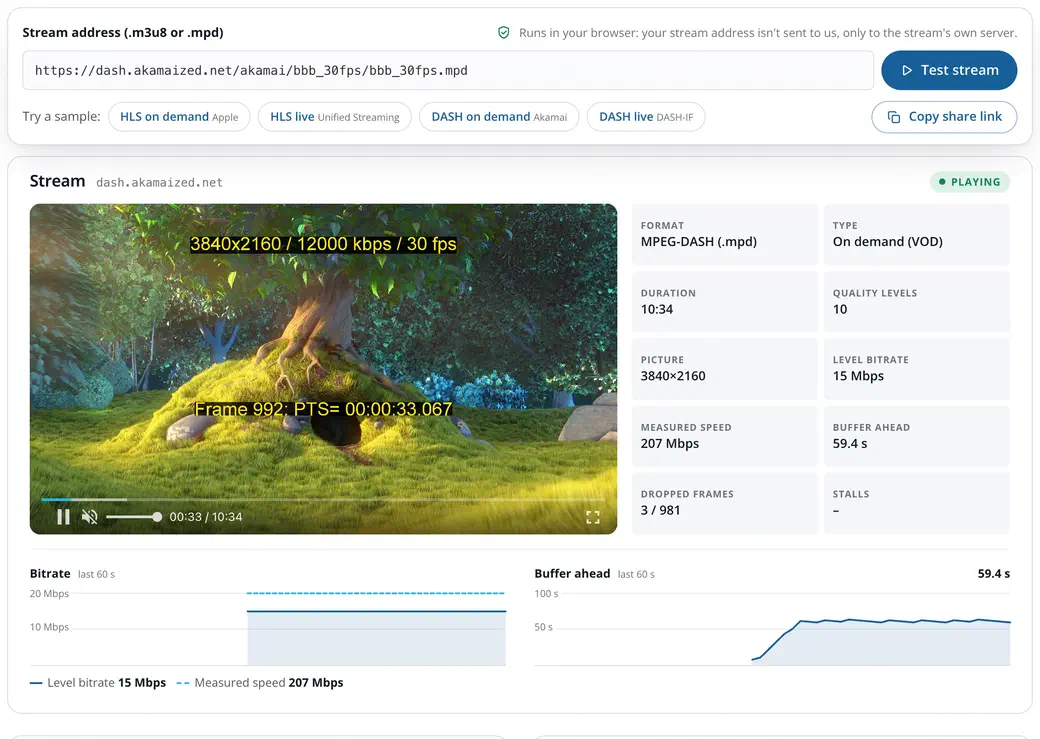
The stream plays in Fluid Player, with live figures beside it: quality level and picture size, bitrate, measured download speed, buffer, dropped frames and stalls, plus two charts of the last 60 seconds.
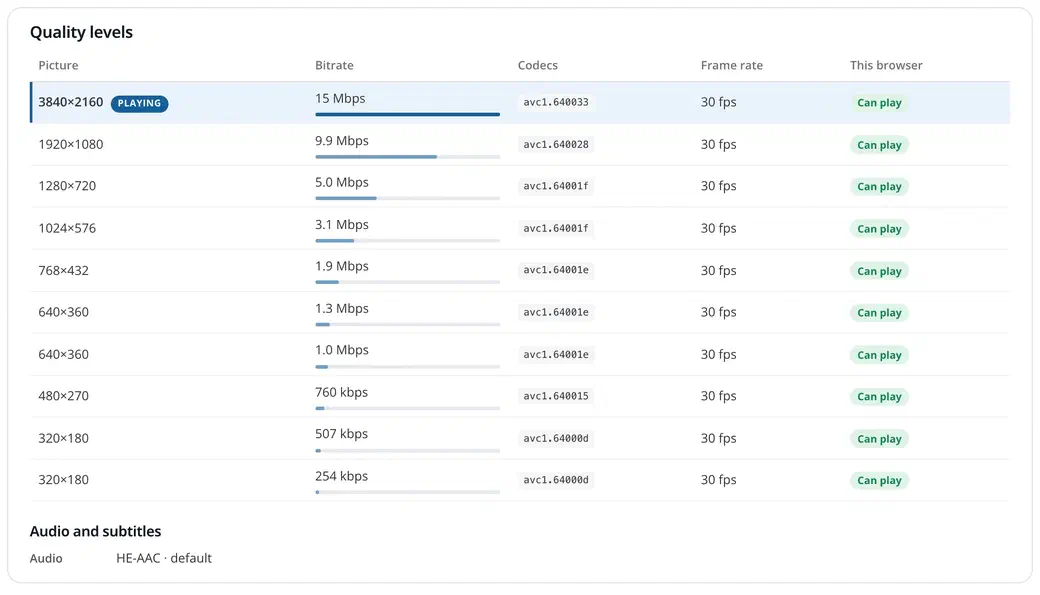
Below the player, the tester lists every quality level with its picture size, bitrate, codecs and frame rate, and whether this browser can play it. It also shows the audio and subtitle tracks, and the manifest as received.
Find the file that fails
This is what makes the tester different. Before playing, it downloads one file of each kind (master playlist, quality-level playlist, audio playlist, encryption key, init segment and a segment) and lists them under Requests (CORS), each with its server.
When one fails, the tester says which one and why, in a sentence you can act on. A missing Access-Control-Allow-Origin header on the segments, a 403 from an expired token, a file that’s gone from a live stream, a server that doesn’t answer: each has its own explanation. When the header is missing only some of the time, a typical CDN cache problem, it says so too.
For CORS, the page has ready-to-paste settings for nginx, Apache, Amazon S3, CloudFront and Cloudflare: see Fix CORS on your server.
Checks that save you a support ticket
The tester also reads the playlists and points out what’s worth fixing, even when the stream plays:
- Codecs this browser can’t play, such as HEVC or AV1 on some systems, and quality levels that don’t declare their codecs.
- http:// addresses on an https page, including the ones inside the playlist, which browsers block.
- Live streams: too few segments in the playlist, low-latency features, a DASH manifest without a time source, how far behind the live edge you are.
- DRM (Widevine, PlayReady, FairPlay): the tester detects it and explains why a plain player can’t play it, while still showing the quality levels and requests.
- Wrong addresses: a web page, an MP4 file or a VAST ad tag pasted instead of a stream.
It tests HLS and DASH, live and on demand. Four sample streams from Apple, Unified Streaming, Akamai and DASH-IF let you see it work in one click.
The strictest test, so it plays everywhere
Safari and recent versions of Chrome play HLS by themselves, and they’re lenient: a stream can play there and fail in Firefox. The tester always plays streams the way a JavaScript player does, through hls.js or dash.js, the strictest path. If your stream passes here, the files it’s made of will load in every modern browser; only codec support still depends on the browser, and the quality-level table shows it.
From test to your website
When the stream plays, the code to embed it with Fluid Player is right under the tester, already filled in with your address. Copy it into your page: Fluid Player loads hls.js or dash.js by itself, with no extra setup, no account and no license key.
Private by design
The tester runs in your browser. Your stream address is sent only to the stream’s own server, never to us, and nothing is stored. The Copy share link button lets you send a test to a colleague: the address sits after a # in the link, a part browsers never send to a server.
Try it
Open the HLS & DASH Stream Tester, paste your stream address or pick a sample, and click Test stream.
It joins our other free tools for web video: the SRT to VTT and VTT to SRT subtitle converters, and the Player Builder. Found a stream it gets wrong, or an idea for the next tool? Tell us on GitHub (opens in a new tab).